500+ Desktop Support Engineer Interview Questions 2026
Master new skills with expert-led instruction. Get 100% OFF with verified coupons and earn your certificate.
Lifetime access • Certificate included
This course includes:
- 📹0 mins on-demand video
- 📄0 articles
- 📥0 downloadable resources
- 📱Access on mobile and TV
- 🏆Certificate of completion
- ♾️Full lifetime access
📖About This Course
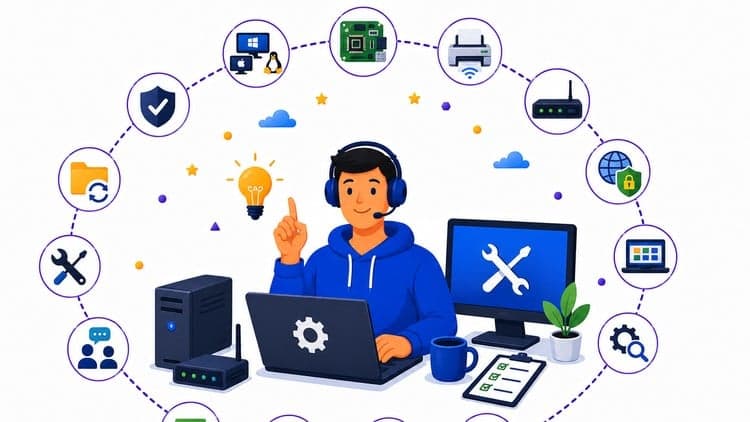
Detailed Exam Domain CoverageThis practice test repository is structured precisely to mirror the real-world technical distributions expected in enterprise-level Desktop Support and IT Engineering technical interviews.Operating System Management (20%): Advanced configuration, deployment, and repair workflows for Windows, MacOS, and Linux environments, including boot failure troubleshooting and clean installation strategies.Hardware and Peripheral Management (15%): Diagnostic routines for core Desktop and Laptop Components, structural Printer Troubleshooting, Network Devices validation, and component-level Hardware Upgrades.Networking Fundamentals (18%): Deep dive into TCP/IP suite behaviors, structural DNS resolution pathways, DHCP dynamic lease scopes, Subnet Masking layout, and localized Network Security controls.Software and Application Management (12%): Administration of enterprise suites like Microsoft Office and Google Workspace, deploying Antivirus Software, silent Software Installation scripts, and automated Patch Management.Troubleshooting and Problem-Solving (15%): Mitigating critical System Crashes (BSOD/Kernel Panics), decoding obscure Error Messages, resolving complex Performance Issues, implementing localized Data Recovery, and performing root cause analysis.Communication and Customer Service (10%): Enterprise Help Desk Etiquette, white-glove Customer Support, technical writing for internal knowledge bases, user training methods, and SLA-compliant issue escalation procedures.IT Service Management and Tools (5%): Alignment with ITIL frameworks, hands-on ticketing methodologies using ServiceNow and Jira, managing enterprise ticketing systems, and active asset inventory management.Security and Compliance (5%): Localized data security controls, corporate password management infrastructure, identity access control profiles, compliance regulations, and proactive risk assessment metrics.About the CourseSucceeding in a modern Desktop Support Engineer or IT Support Analyst interview takes more than knowing how to restart a frozen application. Corporate IT infrastructure demands engineers who can systematically unpack complex networking anomalies, resolve silent hardware degradations, and navigate cross-platform environments across Windows, macOS, and Linux without breaking compliance or service level agreements (SLAs). I designed this comprehensive question bank to step away from basic trivia and drop you straight into the realistic, situational troubleshooting scenarios that senior infrastructure managers use to test candidates.With 550 highly detailed, original practice questions, this course is built to challenge your practical analytical limits. Instead of straightforward vocabulary definitions, you will evaluate realistic error logs, corporate printer connection failures, network configuration mismatches, and critical system crashes. Every question includes an exhaustive technical breakdown explaining exactly why the correct administrative action succeeds, while detailing precisely why alternative configurations or premature escalations fail in a live enterprise workspace. Whether you are prepping for your first help desk role, studying to transition into a Tier 2/3 desktop engineering track, or aiming to clear structured technical screening rounds, this study material provides the rigorous preparation required to clear your interviews confidently on your very first attempt.Sample Practice Questions PreviewTo understand the depth and style of the explanations provided inside this question bank, review these three high-fidelity sample questions.Question 1: Resolving a Local Network Communication FailureA corporate user reports that they cannot access an internal web application located on a local server. You run ipconfig on their Windows 11 workstation and discover that the IPv4 address assigned to the interface is 169.254.42.105. What is the immediate root cause of this connectivity failure?A) The workstation configuration contains a hardcoded, invalid local loopback interface address routing map.B) The local network router interface dropped the static route record pointing toward the domain controller.C) The client machine failed to communicate with a DHCP server and auto-assigned an APIPA address.D) The local host configuration file contains a malicious entry pointing the web application URL to a null gateway.E) The underlying system network interface card experienced a physical hardware failure during data frame processing.F) The workstation network security policy blocked incoming broadcast traffic over the default HTTP port.Correct Answer & Explanation:Correct Answer: CWhy it is correct: An IP address starting with 169.254.X.X explicitly identifies an Automatic Private IP Addressing (APIPA) block. When a workstation configured for dynamic IP addressing sends out a DHCPDISCOVER broadcast and receives no response within its timeout window, the operating system self-assigns an APIPA address to maintain localized link-local communication. Because there is no functional gateway assigned, the user cannot access corporate networks or external web resources.Why alternative options are incorrect:Option A is incorrect: The local loopback interface block is standardly defined as 127.0.0.1 through 127.255.255.255.Option B is incorrect: Router static route tables dictate traffic flows between different network subnets; they do not dictate whether an endpoint receives a valid IP assignment via DHCP.Option D is incorrect: A corrupted local hosts file can cause name resolution errors, but it has no technical mechanism to alter the system's actual network interface configuration IP address.Option E is incorrect: If the network interface card had a physical hardware failure, the interface would register as disconnected, uninitialized, or missing entirely, rather than generating a valid APIPA address assignment.Option F is incorrect: APIPA generation is an address assignment issue tied directly to the DHCP process, not an inbound application port block rule on a local host firewall.Question 2: Diagnosing Random System Crashes under Processing LoadAn enterprise user reports that their engineering desktop workstation randomly displays a Blue Screen of Death (BSOD) with the stop code WHEA_UNCORRECTABLE_ERROR when running heavy database simulations. The system reboots cleanly afterward, and data logs show no software update changes prior to the incidents. Which diagnostic action should you prioritize?A) Run a complete operating system system file check scan to repair hidden software installation corruptions.B) Inspect the physical system cooling assembly and run memory and hardware diagnostics to isolate thermal or hardware faults.C) Re-image the workstation operating system completely to eliminate hidden registry bugs in the user profile.D) Reconfigure the network router to limit inbound broadcast storms from causing interface card processor overloads.E) Roll back the local graphics card driver architecture to a standard baseline Microsoft display adapter driver model.F) Adjust the system virtual memory paging file boundaries to match the physical hard drive block configuration size.Correct Answer & Explanation:Correct Answer: BWhy it is correct: The Windows Hardware Error Architecture (WHEA) stop code WHEA_UNCORRECTABLE_ERROR is a critical warning signaling that a physical hardware error has occurred. Because it manifests consistently under heavy processing loads, the most likely issues are a failing core component (like a CPU or RAM module) or severe thermal throttling due to a compromised cooling assembly or degraded thermal paste.Why alternative options are incorrect:Option A is incorrect: System File Checker (SFC) scans address software-level operating system file corruptions; they cannot fix systemic hardware-level crashes denoted by WHEA flags.Option C is incorrect: Re-imaging the system is a time-consuming software solution that will not resolve fundamental hardware stability issues or physical thermal limits.Option D is incorrect: Network broadcast traffic loads can cause packet drops or high CPU utilization, but they do not trip internal hardware fault registers that trigger a WHEA stop screen.Option E is incorrect: While video driver corruptions can cause BSODs, they typically surface with distinct driver-specific codes (like VIDEO_TDR_FAILURE) rather than generic hardware error architecture events.Option F is incorrect: Virtual memory boundaries or page file misconfigurations cause low-memory errors or system slowdowns, not abrupt, uncorrectable hardware component failures.Question 3: Enterprise Cloud Workspace Credential Synchronization FailuresA remote user cannot sign into their managed Microsoft Office 365 desktop apps on a corporate MacBook, despite successfully logging into the corporate web mail portal using the exact same credentials on the same device. As a desktop engineer, what step should you take first to resolve the application lock?A) Instruct the user to completely reinstall the macOS operating system environment to clear localized security policies.B) Flush the local DNS cache and manually modify the client machine's host file records to bypass the corporate proxy.C) Clear the stale, cached enterprise identity tokens from the Mac Keychain Access application utility.D) Delete the user account profile entirely from the corporate identity database provider and recreate it from scratch.E) Re-register the physical router gateway MAC address within the enterprise ticketing system access control matrix.F) Disable the device's physical built-in wireless card and instruct the user to connect exclusively via an external ethernet adapter.Correct Answer & Explanation:Correct Answer: CWhy it is correct: Because the user can log into the web portal, their account is active, and their password credentials are completely correct. The underlying issue is that the locally installed desktop apps use authentication tokens stored within the macOS Keychain Access subsystem. If those tokens become corrupted, stale, or out of sync after a password update, the application will continually present a failed connection state. Clearing the old tokens forces the applications to prompt for a clean authentication request.Why alternative options are incorrect:Option A is incorrect: Reinstalling the entire operating system is a destructive and unnecessary response to a standard application-level authentication token mismatch.Option B is incorrect: Modifying host entries to bypass security proxies introduces massive security compliance risks and does nothing to fix the local credential token corruption.Option D is incorrect: Deleting the user profile from the corporate directory destroys historical company data, mailboxes, and configurations when the root cause is isolated entirely to local client caching.Option E is incorrect: Router gateway registration parameters affect raw infrastructure routing connectivity, which is fully functional given the web portal is loading normally.Option F is incorrect: The physical network layer is operating normally; changing the connection medium from Wi-Fi to ethernet does not modify application credential handshake tokens.What to ExpectWelcome to the Interview Questions Tests to help you prepare for your Desktop Support Engineer Interview Questions.You can retake the exams as many times as you wantThis is a huge original question bankYou get support from instructors if you have questionsEach question has a detailed explanationMobile-compatible with the Udemy appWe hope that by now you're convinced! And there are a lot more questions inside the course.
Frequently Asked Questions
Q: Is this course really free?
Yes! Using our verified coupon code, you can enroll for 100% OFF. No hidden charges.
Q: Do I get a certificate?
Upon completion of all video lectures, Udemy will issue a certificate of completion.
Q: How long is my access?
Once you enroll with the coupon, you get full lifetime access to the materials.
You May Also Like
Implementa DORA: resiliencia operativa digital en la UE

Fluent in Idioms: Practice Questions for Real-World Usage