Adobe Photoshop Selections Master Course: Be a Hero Selector
Master new skills with expert-led instruction. Get 100% OFF with verified coupons and earn your certificate.
Lifetime access • Certificate included
This course includes:
- 📹0 mins on-demand video
- 📄4 articles
- 📥0 downloadable resources
- 📱Access on mobile and TV
- 🏆Certificate of completion
- ♾️Full lifetime access
📖About This Course
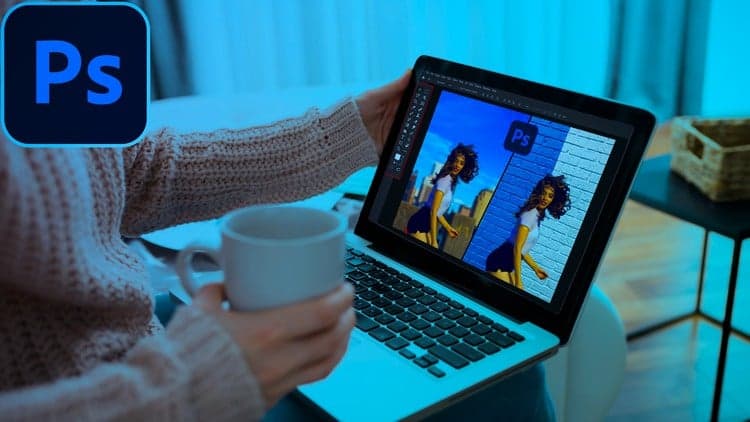
**UPDATES**New assignments added.New Lectures added.Some lectures updated.**Hey everyone!My name is Shubham Jha and welcome to Photoshop Selections Master Course. This course is planned around reasonable, achievable goals for my students, which helps to increase the effective rate of learning. I understand that every individual learns at a different pace. Hence, I've ensured that you are well catered for so that you understand every aspect of your chosen modules. I've helped thousands of People in getting the concepts of Photoshop through my Online Courses. In this course you'll not only learn how to use Selection tools and techniques but you'll also learn when and why to use them. I assure you that by the end of this course you will be able to select anything from objects in highly pixelated low-resolution images to dreaded hairs, so what you are waiting for, get started today!What you will learn?Here is a complete list of everything you’ll learn in this Photoshop course.Section 1: Introduction Here I'll give you a brief introduction about what tools and techniques we are going to learn in this course.I'll tell you how you can earn thousands of dollars by just selecting objects and removing background in Photoshop.We will setup our Photoshop Workspace so that everything runs nice and smoothly.And the most important thing Section 2: Selection Part 1 We will start our journey with basic selection tools: We'll first see what selection and layer mask are and how to deal with them.Then we'll learn rectangular and elliptical marquee tools and what settings you need to know before using them.After covering every kind of tools, you will have tasks to complete.You can share your work with other students in the comments section or you can also share with me personally.You'll learn how and when to use the Lasso, Polygonal Lasso, and Magnetic lasso tool.Then we'll see beginners favourite Quick Selection and Object Selection tool.You'll learn Magic Wand Tool which is one of the oldest selection tools in Photoshop.And with a challenging task I'll end this section.Section 3: Selections Part 2 This section deals with advanced selection tools and techniques.We'll start with the Pen Tool and we'll see how to select objects and create shapes using it. We'll also look at the differences between various types of pen tool.Then we'll move to direct and path selection tool and we'll see how they are used in sync with the Pen tool.Further we'll look at some more techniques that selects based on the colour of the pixels, like Select Colour Range and Selection using channels.Then we'll move to modern day Select Subject & Select and Mask.We'll see how to use Select and Mask to make and refine selection.After all that we'll move to the trickiest part of this course i.e., Hair Selections, and trust me you will also be able to select and mask almost any type of hair in a matter of seconds.All in all, we'll master the hair selections with three different as well as difficult images.By the end of this section, we'll look at one of the awesome tool introduced in CC 2021 i.e., Sky Replacement Tool.At last, we'll see which selection technique to be used for which image and also why.Section 4: ConclusionWays to make living out of your Photoshop skill.Course Conclusion and What's next.Why this course is different?This is a practical course.You are not only going to learn theoretical aspects of various tools and techniques but you are also going to master them.Major upper hand for this course is the tasks that i provide after covering every major topic.I'm always there to help my students when needed.
Frequently Asked Questions
Q: Is this course really free?
Yes! Using our verified coupon code, you can enroll for 100% OFF. No hidden charges.
Q: Do I get a certificate?
Upon completion of all video lectures, Udemy will issue a certificate of completion.
Q: How long is my access?
Once you enroll with the coupon, you get full lifetime access to the materials.
You May Also Like

Cómo Crear una Página Web con Hostinger Desde Cero

Cómo Crear Una Tienda Online Desde Cero Para Principiantes