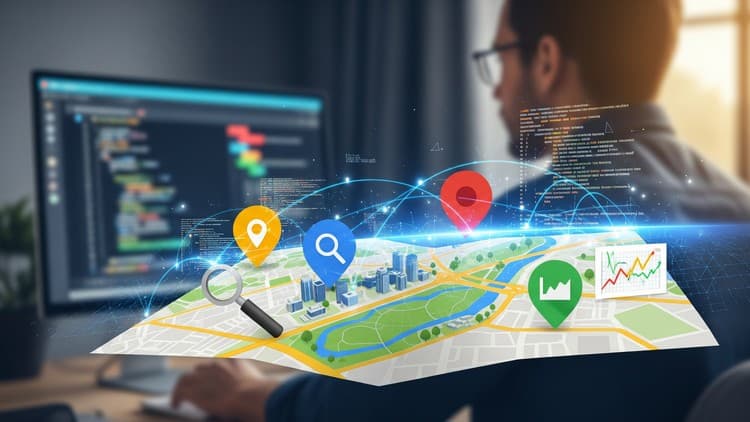
Google Maps API for Developers: Build Real-World Projects
Master new skills with expert-led instruction. Get 100% OFF with verified coupons and earn your certificate.
Coupon Expired
This free coupon is no longer active. Please check Udemy for the current price and available discounts.
Lifetime access • Certificate included
This course includes:
- 📹0 mins on-demand video
- 📄2 articles
- 📥0 downloadable resources
- 📱Access on mobile and TV
- 🏆Certificate of completion
- ♾️Full lifetime access
📖About This Course
Build interactive, location-based web apps using the Google Maps JavaScript API. Learn by doing — display maps, search places, get directions, use GeoJSON, show real-time weather, and more!What You’ll Learn:Whether you're building a location-based product, a business finder, or a data-driven dashboard — this course will guide you step-by-step in integrating the Google Maps JavaScript API into your projects.In this practical, hands-on course, you'll learn how to:Embed interactive Google Maps into your websiteAdd custom markers and overlaysDisplay real-time weather data on the map using external APIsLoad GeoJSON files to visualize regions, zones, or country bordersUse Marker Clustering for maps with many pointsAdd search functionality using the Places APIDisplay detailed information like name, photos, and ratings for placesPerform Nearby Searches (e.g., cafes, ATMs)Show directions and routes with multiple stops and travel modesConvert addresses to coordinates and vice versa using the Geocoding APIYou’ll work with real-world features used in modern web apps, all with clean, easy-to-follow code.Who This Course Is ForThis course is designed for:Web developers who want to integrate interactive maps into their appsFrontend developers building dashboards, delivery maps, or store locatorsBeginners exploring APIs and map-based featuresAnyone who wants to learn location-based development hands-onWhat You Should Know Before Taking This CourseYou don’t need to be an expert — but you should know:The basics of HTML, CSS, and JavaScriptHow to edit simple web pages using a code editor (like VS Code)Optional: some familiarity with using APIs or JavaScript librariesThis is not a beginner coding course, but everything related to Google Maps is taught clearly, step-by-step.What’s Included in This CourseThe course includes 6 structured modules that cover Google Maps API essentials and real-world use cases:Module 1: Core Map ConceptsSet up your API key and initialize mapsUnderstand map types, zoom, center, and controlsWork with coordinates and map stylingModule 2: Map Events & OverlaysHandle map events like click, drag, and zoomAdd custom markers, icons, and InfoWindowsUse overlays to show additional visual layersModule 3: Dynamic Maps & External DataDisplay real-time weather info from external APIsIntegrate GeoJSON to draw country borders or custom zonesUse Marker Clustering to manage large sets of markers efficientlyShow contextual data using overlays and InfoWindowsModule 4: Places API IntegrationAdd Autocomplete for place searchFetch and display place details, ratings, photosUse Nearby Search and filter by place type (e.g., cafes, hospitals)Module 5: Directions & RoutingCalculate and show directions between pointsCustomize routes with travel modes and waypointsCreate interactive, draggable route maps for better UXModule 6: Geocoding & Reverse GeocodingConvert an address into latitude/longitude coordinates using the Geocoding API Interpret coordinates to get human-readable addresses (reverse geocoding) Handle geocoding results and errors gracefully in your app Batch geocode multiple locations for scalable data processing Why Take This Course?Real-world focus: No fluff — just practical coding with useful featuresProject-ready code: Use what you learn directly in your appsLearn by doing: Build real features step-by-step, not just theoryBy the end of this course, you’ll be confident in using the Google Maps JavaScript API to create modern, map-based web applications with features like GeoJSON, weather overlays, place search, clustering, and convert clear addresses into map coordinates and retrieve location names programmatically using the Geocoding API—ideal for address-driven features and bulk geocoding.Let’s Get Started!Join now and start building interactive map features with Google Maps API — one project at a time.
Frequently Asked Questions
Q: Is this course really free?
Yes! Using our verified coupon code, you can enroll for 100% OFF. No hidden charges.
Q: Do I get a certificate?
Upon completion of all video lectures, Udemy will issue a certificate of completion.
Q: How long is my access?
Once you enroll with the coupon, you get full lifetime access to the materials.
You May Also Like
![AWS DynamoDB Mastery - Free Udemy Course [100% Off]](/_next/image?url=https%3A%2F%2Fimg-c.udemycdn.com%2Fcourse%2F750x422%2F6144847_7510_4.jpg&w=3840&q=75)
AWS DynamoDB Mastery - Free Udemy Course [100% Off]

Professional Certificate in SQL and SQL for Data Analysis