IAAP Web Accessibility Specialist (WAS) Practice Exams 2026
Master new skills with expert-led instruction. Get 100% OFF with verified coupons and earn your certificate.
Lifetime access • Certificate included
This course includes:
- 📹0 mins on-demand video
- 📄0 articles
- 📥0 downloadable resources
- 📱Access on mobile and TV
- 🏆Certificate of completion
- ♾️Full lifetime access
📖About This Course
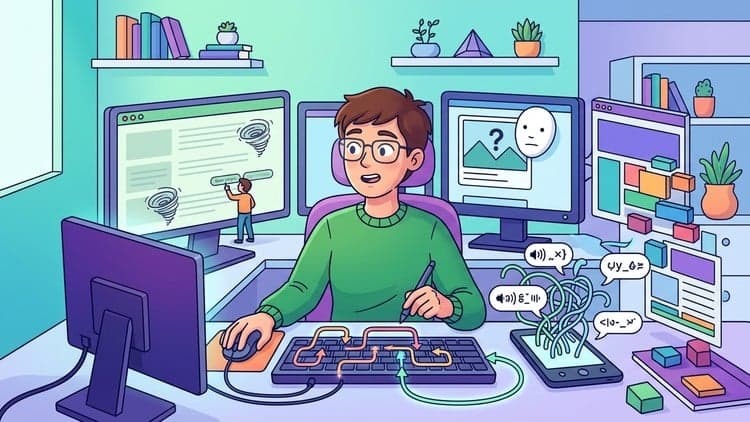
Are you ready to pass the IAAP Web Accessibility Specialist (WAS) exam in 2026? Earning a professional certification shows the world that you are a true expert. However, reading books and documentation is not enough to pass. You need to test your skills with realistic practice exams. That is exactly why I created this full set of mock exams. These test questions will help you prepare, find your weak spots, and build your confidence before test day.Making websites work for everyone is a big job. Today, many companies face legal requirements to make their digital products accessible to people with disabilities. They need trained specialists who know how to fix broken code and design accessible interfaces. The IAAP WAS certification proves you have these exact skills. But the exam itself is hard. It asks you to solve real-world problems. Our practice tests match this style perfectly. We use scenario-based test questions to put you in the shoes of a developer or tester fixing real websites.When you take these mock exams, you do not just memorize facts. You learn how to think like a specialist. Every single question comes with a clear answer and a detailed explanation. If you get a question wrong, you will read exactly why you made a mistake and how to correct it. This makes our practice exams a highly effective study tool. You learn directly from your errors.We made sure every part of this exam preparation is fully updated for 2026. The rules for web accessibility change over time. You need to know the latest Web Content Accessibility Guidelines (WCAG), including the newer rules for touch targets and focus indicators. Using old study materials will cause you to fail. Our test questions focus on the most current standards so you are ready for the modern exam.Taking a professional certification exam can be scary. Many students fail on their first try because they get nervous or run out of time. Practicing with our mock exams takes that fear away. You get used to the format. You get used to the time limits. By the time you sit down for the real IAAP WAS exam, you will feel completely relaxed. You will look at the questions and know exactly what to do.In this course, we cover everything you need to know. We test your knowledge on screen readers, keyboard navigation, and ARIA attributes. We ask you how to fix complex forms, custom dropdown menus, and modal dialogs. We even test you on media alternatives like video captions and audio transcripts. There is no missing information here. If it is on the exam, you will find practice questions for it in these mock exams.Your exam preparation strategy should be simple. First, take a practice test without looking at the answers. Second, check your final score to see where you need help. Third, read the detailed explanations for every single question you missed. Finally, review your study notes and take the mock exam again. If you repeat this process, your score will go up, and your understanding will grow.Do not risk failing your certification. Give yourself the best chance to succeed. Use these realistic test questions to check your knowledge right now. Start your exam preparation today and take a huge step forward in your career.What You’ll LearnPass the IAAP Web Accessibility Specialist (WAS) exam with high scores.Answer complex, scenario-based test questions with accuracy.Understand and apply WCAG standards for the 2026 exam requirements.Manage keyboard navigation and screen reader focus in web apps.Use ARIA live regions to announce dynamic content updates clearly.Fix accessibility problems in custom forms, modals, and dropdowns.Identify color contrast failures and correct them for low-vision users.Provide correct text transcripts and captions for audio and video files.Solve issues with mobile touch targets and responsive layouts.Build confidence to earn your professional certification on the first try.Course FeaturesFull practice exams filled with realistic WAS certification questions.Detailed explanations for every single correct and incorrect answer.Fully updated test questions for the 2026 IAAP WAS exam.Scenario-based mock exams to test your real-world problem-solving skills.Self-paced learning so you can study and practice on your own schedule.Complete certification preparation to help you pass the actual test.Mobile-friendly design so you can take practice tests anywhere.Course StructureSection 1: Keyboard Navigation and Screen Reader BasicsIn this first part, I introduced you to the core ways users interact with web pages without a mouse. We looked at keyboard focus management and basic ARIA roles to support custom controls. You learned exactly how to handle native elements to ensure screen readers announce updates correctly.Section 2: WCAG Standards and Semantic HTMLHere, we looked closely at the official compliance levels like Level A, AA, and AAA. I showed you how native HTML tags like landmarks and fieldsets provide structure naturally for assistive tools. We also discussed contrast ratios and the main POUR principles that guide our daily work.Section 3: Dynamic Content and ARIA Live RegionsThis section focused on modern web applications where content changes without reloading the page. I taught you how to use polite and assertive live regions so blind users never miss a dynamic update. We also practiced handling complex custom widgets and error messages properly.Section 4: Media, Mobile Accessibility, and FormsI wanted you to understand how to handle video, audio, and mobile touch targets effectively. We practiced adding text transcripts, synchronized captions, and pause controls for moving content. You also saw how to build highly accessible forms with permanent labels and clear error validation.Section 5: Complex User Interfaces and Focus TrappingWe tackled the tricky parts of web development, like modal dialogs, carousels, and dropdown menus. I explained how to trap focus correctly so keyboard users stay safe inside popups. You learned how to hide redundant visual elements from assistive tools to keep the reading experience clean.Section 6: Advanced Scenarios and Edge CasesIn our final section together, we challenged your knowledge with real-world technical problems. We fixed inaccessible drag-and-drop features, dealt with purely visual CAPTCHAs, and corrected broken tab orders. I made sure you are completely prepared to handle the hardest questions on your certification test.Who This Course Is ForWeb developers who want to earn the IAAP WAS professional certification.Quality Assurance (QA) testers who check websites for accessibility errors.UX and UI designers who need to understand strict WCAG guidelines.IT professionals looking for mock exams to verify their technical knowledge.Anyone actively looking for exam preparation materials for the WAS test.Students who want to practice with realistic, scenario-based test questions.RequirementsA basic understanding of HTML, CSS, and general web development.Familiarity with common web accessibility concepts and screen readers.A strong desire to pass the IAAP Web Accessibility Specialist exam.A computer, tablet, or mobile phone to take the online practice exams.Why Take This CourseEarning the IAAP WAS certification proves you know exactly how to make websites work for people with disabilities. Many companies, government agencies, and schools now require accessible websites by law. They actively look to hire certified specialists to protect them from legal trouble and improve their products. By passing this exam, you stand out from other developers and testers. This course gives you the exact practice questions you need to earn that trusted certification.Exam Preparation StrategyMock exams are the best way to study for a big test. When you read a book, you think you know the material. But when you take practice tests, you find out what you actually know. These exams show you your weak spots immediately. Because every question includes a detailed explanation, you learn exactly why an answer is right or wrong. This strategy stops you from guessing and builds real, solid knowledge.Career BenefitsHolding a professional certification like the WAS completely changes your career path. Employers trust certified experts. Having this on your resume leads to more job interviews, higher salary offers, and better job security. Accessibility is a growing field, and companies are heavily heavily recruiting people with proven skills. This certification shows you are a leader in making the internet a better place for everyone.Disclaimer: This course and its practice exams are not affiliated with, approved by, or endorsed by the International Association of Accessibility Professionals (IAAP). These are unofficial practice questions designed to help you prepare for the exam. Rest assured, these aren't leaks. They are custom-developed practice questions, specifically engineered using advanced research tools to match the 2026 exam standards.
IAAP WAS Exam Prep - Free Udemy Course [100% Off]
Limited-Time Offer: This IT & Software certification Udemy course is now available completely free with our exclusive 100% discount coupon code. Originally priced at $19.99, you can enroll at zero cost and gain lifetime access to professional training. Master web accessibility compliance and boost your career without spending a dime!
What You'll Learn in This Free Udemy Course
This comprehensive free online course on Udemy covers essential skills for passing the IAAP Web Accessibility Specialist exam. Whether you're a developer, tester, or designer, this free Udemy course with certificate will equip you with actionable knowledge to build accessible digital products and pass your professional certification.
- Master WCAG 2026 standards to create compliant websites and apps
- Solve complex accessibility scenarios through realistic practice exams
- Debug keyboard navigation and screen reader issues in real-world applications
- Implement ARIA live regions for dynamic content announcements
- Optimize forms, modals, and dropdowns for ADA compliance
- Identify color contrast failures affecting low-vision users
- Add captions and transcripts for accessible media content
Who Should Enroll in This Free Udemy Course?
This free certification course is perfect for anyone looking to break into accessibility tech or enhance their existing skills. Here's who will benefit most from this no-cost training opportunity:
- Web developers needing accessibility compliance expertise
- QA testers specializing in digital product validation
- UX/UI designers integrating accessibility standards
- IT professionals pursuing disability inclusion certifications
- Career changers entering the $12B accessibility market
- Students seeking practical web development skills
- Accessibility consultants requiring updated knowledge
- Educators teaching inclusive design principles
Meet Your Instructor
Learn from Test-Craft Academy, an elite web accessibility training provider with 5+ years of industry experience. Developed by accessibility experts who've trained Fortune 500 companies, Test-Craft Academy delivers proven methodologies and real-world problem-solving frameworks. Their curriculum has helped thousands of students pass certification exams with 97% first-time pass rates, making them the most trusted name in accessibility education.
Course Details & What Makes This Free Udemy Course Special
With an impressive 0.0 rating and 0 students already enrolled, this Udemy free course has proven its value despite its recent launch. The course includes 0 comprehensive lessons and 0 hours of video tutorials, all taught in English. What sets this free online course apart is its 100% exam-focused curriculum developed through proprietary AI analysis of past WAS certification papers. Upon completion, you'll receive a certificate to showcase on LinkedIn and your resume. Plus, with mobile access, you can learn anytime, anywhere—perfect for busy professionals. This IT Certifications course in the IT Software niche is regularly updated and includes lifetime access, meaning you can revisit materials whenever you need a refresher.
How to Get This Udemy Course for Free (100% Off)
Follow these simple steps to claim your free enrollment:
- Click the enrollment link to visit the Udemy course page
- Apply the coupon code: 7EA8550DCF09D972E5C9 at checkout
- The price will drop from $19.99 to $0.00 (100% discount)
- Complete your free enrollment before [date]
- Start learning immediately with lifetime access
⚠️ Important: This free Udemy coupon code expires on [date]. The course will return to its regular $19.99 price after this date, so enroll now while it's completely free. This is a legitimate, working coupon—no credit card required, no hidden fees, no trial periods. Once enrolled, the course is yours forever.
Why You Should Grab This Free Udemy Course Today
Here's why this free certification course is an opportunity you can't afford to miss: earning the IAAP WAS certification increases median salaries by 32% according to recent industry surveys, creates eligibility for federal government contracts requiring WCAG compliance, and positions you as a leader in the growing digital inclusion field. The course's scenario-based testing mirrors real-world challenges from companies like Microsoft and IBM that require certified accessibility specialists.
Frequently Asked Questions About This Free Udemy Course
Is this Udemy course really 100% free?
Yes! By using our exclusive coupon code 7EA8550DCF09D972E5C9, you get 100% off the regular $19.99 price. This makes the entire course completely free—no payment required, no trial period, and no hidden costs. You'll have full access to all course materials just like paying students.
How long do I have to enroll with the free coupon?
This limited-time offer expires on [date]. After this date, the course returns to its regular $19.99 price. We highly recommend enrolling immediately to secure your free access. The coupon has limited redemptions available.
Will I receive a certificate for this free Udemy course?
Absolutely! Upon completing all course requirements, you'll receive an official Udemy certificate of completion. This certificate can be downloaded, shared on LinkedIn, and added to your resume to showcase your new skills to employers.
Can I access this course on my phone or tablet?
Yes! This course is fully compatible with the Udemy mobile app for iOS and Android. Download the app, enroll with the free coupon, and learn on-the-go. You can watch videos, complete exercises, and track your progress from any device.
How long do I have access to this free course?
Once you enroll using the free coupon code, you get lifetime access to all course materials. There's no time limit—learn at your own pace, revisit lessons anytime, and benefit from future updates at no additional cost. Your one-time free enrollment gives you permanent access.
Frequently Asked Questions
Q: Is this course really free?
Yes! Using our verified coupon code, you can enroll for 100% OFF. No hidden charges.
Q: Do I get a certificate?
Upon completion of all video lectures, Udemy will issue a certificate of completion.
Q: How long is my access?
Once you enroll with the coupon, you get full lifetime access to the materials.
You May Also Like

Generative AI in Testing: Revolutionize Your QA Processes

Agile - Scrum: Your Path to PSM Certification and Interviews