Mastering Data Magic: Power BI Analytics
Master new skills with expert-led instruction. Get 100% OFF with verified coupons and earn your certificate.
Lifetime access • Certificate included
This course includes:
- 📹0 mins on-demand video
- 📄24 articles
- 📥0 downloadable resources
- 📱Access on mobile and TV
- 🏆Certificate of completion
- ♾️Full lifetime access
📖About This Course
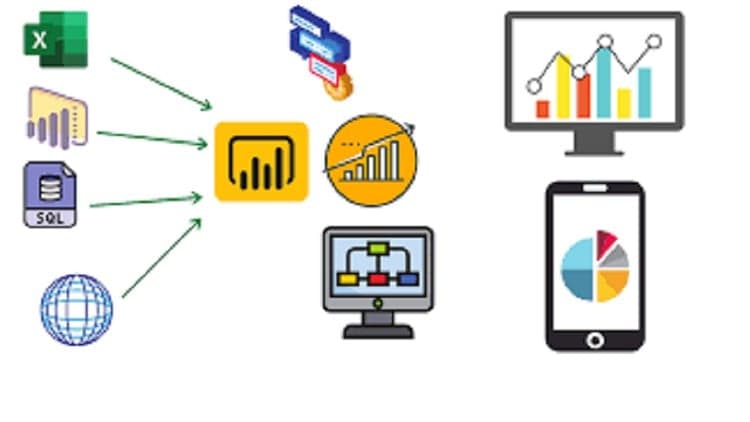
Data Analytics: Data analytics is the process of examining, cleaning, transforming, and interpreting data to extract meaningful insights, patterns, and trends. It helps organizations make informed decisions and improve their business performance by leveraging data.Why Data Analytics: Data analytics is crucial for businesses to make data-driven decisions. It enables organizations to:Identify trends and opportunities.Improve operational efficiency.Enhance customer experience.Make informed strategic decisions.Predict future outcomes.Types of Data Analytics: There are four main types of data analytics:Descriptive Analytics: Summarizes historical data to provide insights.Diagnostic Analytics: Analyzes data to understand why certain events occurred.Predictive Analytics: Uses historical data to predict future outcomes.Prescriptive Analytics: Recommends actions based on predictive analytics.Steps Involved in Data Analytics: The typical steps in data analytics include data collection, data cleaning, data exploration, data modeling, data visualization, and interpretation of results.Tools for Data Analytics: There are various tools for data analytics, including Power BI, Tableau, Excel, Python (with libraries like Pandas and Matplotlib), R, and more.Skills for Data Analytics: To excel in data analytics, you should have skills in data manipulation, statistical analysis, data visualization, domain knowledge, and problem-solving. Soft skills like communication and teamwork are also essential.Downloading and Installing Power BI Desktop: You can download Power BI Desktop from the official Microsoft website. After downloading, run the installer and follow the installation instructions.Understanding Interface, Options, and Settings: Power BI Desktop has a user-friendly interface with options and settings to customize your workspace, data sources, and report layouts.Data Source and Uploading Sample Data: You can connect Power BI to various data sources, such as databases, Excel files, and web services. You can also import sample data to practice.Understanding Data and Basic Data Types: In Power BI, you must understand your data's structure, data types (e.g., text, numbers, dates), and how to clean and transform it for analysis.Building Charts: Power BI allows you to create various visualizations, including bar charts, line charts, pie charts, and more, to represent your data effectively.Visual Interactions: You can set up interactions between visuals to create dynamic reports where selecting one visual influences others.Formatting: You can format visuals, fonts, colors, and backgrounds to make your reports visually appealing and easier to understand.Web Scraping: Power BI can extract data from websites using web scraping techniques, allowing you to incorporate external data sources.Data Modeling: You can create relationships between tables, define measures, and build a data model for accurate analysis and reporting.RDBMS Introduction: Relational Database Management Systems (RDBMS) like SQL Server, MySQL, and Oracle can be connected to Power BI to fetch data.Map Visualization: Power BI supports mapping visualizations to display data geospatially, making it useful for location-based analysis.Saving Power BI Files: You can save your Power BI reports as .pbix files, which can be shared and opened by others using Power BI Desktop.Scatter Plot and Other Features: Scatter plots are useful for visualizing the relationship between two numeric variables. Power BI also offers many other features like filtering, drill-through, and custom visuals.Conditional Formatting: You can apply conditional formatting to visuals to highlight specific data points based on predefined rules.Hiding Tables in Report View: You can hide tables or fields that you don't want to display in the report view to declutter your workspace.Grouping, Bar Charts, Column Charts, Ribbon Charts, Small Multiples: These are various visualization types that you can create in Power BI to represent your data in different ways, such as grouping data, using bar or column charts, ribbon charts, and displaying small multiples for comparative analysis.Power BI is a powerful tool for data analytics, and mastering these topics will help you create informative and visually appealing reports for data-driven decision-making.
Mastering Data Magic: Power BI Analytics - Free Udemy Course [100% Off Coupon Code]
Limited-Time Offer: This IT & Software / Other IT & Software Udemy course is now available completely free with our exclusive 100% discount coupon code. Originally priced at $44.99, you can enroll at zero cost and gain lifetime access to professional training. Don't miss this opportunity to master Power BI analytics without spending a dime!
What You'll Learn in This Free Udemy Course
This comprehensive free online course on Udemy covers everything you need to become proficient in data analytics and Power BI. Whether you're a beginner or looking to advance your skills, this free Udemy course with certificate provides hands-on training and practical knowledge you can apply immediately.
- Master data analytics fundamentals to extract meaningful insights and drive business decisions
- Build interactive Power BI dashboards with professional visualizations including charts, maps, and scatter plots
- Create powerful data models by connecting to various data sources like Excel, databases, and web services
- Apply data cleaning and transformation techniques to prepare real-world datasets for analysis
- Design dynamic reports with visual interactions, conditional formatting, and drill-through capabilities
- Extract external data using web scraping techniques to enhance your analytics projects
- Develop expertise in RDBMS integration for robust data management and querying
- Create compelling geographic visualizations with Power BI's map features for location-based insights
- Implement advanced chart types including ribbon charts, small multiples, and grouped visualizations
- Format and optimize reports for maximum visual impact and professional presentation
Who Should Enroll in This Free Udemy Course?
This free certification course is perfect for anyone looking to break into data analytics or enhance their existing skills. Here's who will benefit most from this no-cost training opportunity:
- Aspiring data analysts seeking to enter the lucrative business intelligence industry
- Business professionals wanting to make data-driven decisions and improve organizational performance
- Excel users ready to advance their skills to powerful business intelligence tools
- Career changers looking to pivot into high-demand tech roles with zero financial risk
- Students and recent graduates building job-ready analytics skills for the competitive job market
- Marketing professionals aiming to leverage data for customer insights and campaign optimization
- Entrepreneurs and small business owners who need affordable analytics training
- IT professionals expanding their toolkit with in-demand Power BI expertise
Meet Your Instructor
Learn from ZK Tutorials, an experienced professional in data analytics and business intelligence. With a proven track record of creating comprehensive technical training and thousands of satisfied students, ZK Tutorials brings real-world expertise to every lesson. Their teaching style focuses on practical, hands-on learning that bridges the gap between theory and application, ensuring you gain immediately applicable skills.
Course Details & What Makes This Free Udemy Course Special
With an impressive 4.5-star rating and 11,657 students already enrolled, this Udemy free course has proven its value. The course includes 24 comprehensive lessons and X hours of video tutorials, all taught in English. What sets this free online course apart is its complete coverage of Power BI from installation to advanced analytics techniques. Upon completion, you'll receive a certificate to showcase on LinkedIn and your resume. Plus, with mobile access, you can learn anytime, anywhere—perfect for busy professionals. This IT & Software course in the Other IT & Software niche is regularly updated and includes lifetime access, meaning you can revisit materials whenever you need a refresher.
How to Get This Udemy Course for Free (100% Off)
Follow these simple steps to claim your free enrollment:
- Click the enrollment link to visit the Udemy course page
- Apply the coupon code: POWERBINIV at checkout
- The price will drop from $44.99 to $0.00 (100% discount)
- Complete your free enrollment before December 20, 2025
- Start learning immediately with lifetime access
⚠️ Important: This free Udemy coupon code expires on December 20, 2025. The course will return to its regular $44.99 after this date, so enroll now while it's completely free. This is a legitimate, working coupon—no credit card required, no hidden fees, no trial periods. Once enrolled, the course is yours forever.
Why You Should Grab This Free Udemy Course Today
Here's why this free certification course is an opportunity you can't afford to miss: Power BI skills are among the most in-demand in today's job market, with professionals earning $60,000-$100,000+ annually. This zero-cost training gives you a competitive edge without financial risk. You'll gain hands-on experience with tools used by Fortune 500 companies. Plus, data analytics expertise opens doors to freelance opportunities, career advancement, and business optimization projects. With lifetime access, this free enrollment pays dividends for years to come.
Frequently Asked Questions About This Free Udemy Course
Is this Udemy course really 100% free?
Yes! By using our exclusive coupon code POWERBINIV, you get 100% off the regular $44.99 price. This makes the entire course completely free—no payment required, no trial period, and no hidden costs. You'll have full access to all course materials just like paying students.
How long do I have to enroll with the free coupon?
This limited-time offer expires on December 20, 2025. After this date, the course returns to its regular $44.99. We highly recommend enrolling immediately to secure your free access. The coupon has limited redemptions available.
Will I receive a certificate for this free Udemy course?
Absolutely! Upon completing all course requirements, you'll receive an official Udemy certificate of completion. This certificate can be downloaded, shared on LinkedIn, and added to your resume to showcase your new skills to employers.
Can I access this course on my phone or tablet?
Yes! This course is fully compatible with the Udemy mobile app for iOS and Android. Download the app, enroll with the free coupon, and learn on-the-go. You can watch videos, complete exercises, and track your progress from any device.
How long do I have access to this free course?
Once you enroll using the free coupon code, you get lifetime access to all course materials. There's no time limit—learn at your own pace, revisit lessons anytime, and benefit from future updates at no additional cost. Your one-time free enrollment gives you permanent access.
Frequently Asked Questions
Q: Is this course really free?
Yes! Using our verified coupon code, you can enroll for 100% OFF. No hidden charges.
Q: Do I get a certificate?
Upon completion of all video lectures, Udemy will issue a certificate of completion.
Q: How long is my access?
Once you enroll with the coupon, you get full lifetime access to the materials.
You May Also Like

Generative AI in Testing: Revolutionize Your QA Processes

Agile - Scrum: Your Path to PSM Certification and Interviews