Web Design Bootcamp: Building Websites with Figma & Framer
Master new skills with expert-led instruction. Get 100% OFF with verified coupons and earn your certificate.
0.0
0 students
English
FREE$44.99
100% OFFLifetime access • Certificate included
This course includes:
- 📹0 mins on-demand video
- 📄3 articles
- 📥0 downloadable resources
- 📱Access on mobile and TV
- 🏆Certificate of completion
- ♾️Full lifetime access
⏱️
0
Video Hours
📝
3
Articles
📁
0
Resources
⭐
0.0
Rating
📖About This Course
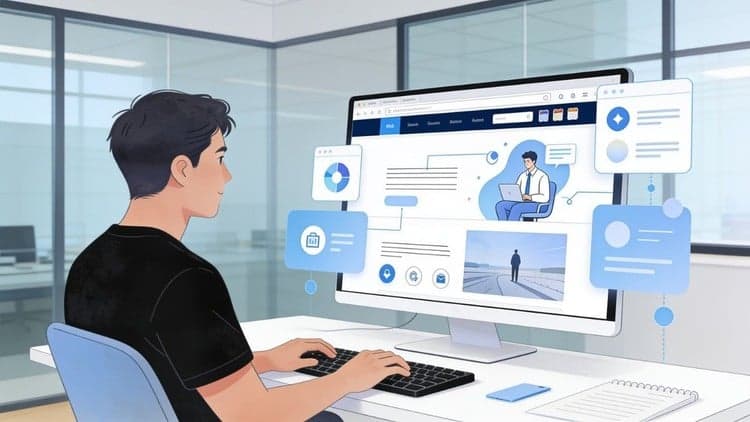
This course contains the use of artificial intelligenceDisclosure: AI tools were used only to assist in creating the course outline and course thumbnail. All instructional content, explanations, and project walkthroughs were fully created manually by the instructor.Welcome to Web Design Bootcamp: Building Websites with Figma & Framer course. This is a comprehensive project based course where you will learn how to build and design interactive websites using tools like Figma and Framer. This course is a perfect combination between web design and web animation, making it an ideal opportunity to practice your design skills while improving your technical knowledge in frontend web development. In the introduction session, you will learn the basic fundamentals of web design, such as getting to know web design principles, web page structure, and website key performance indicators. Then, in the next section, we will learn Figma basic concepts like creating frames, working with layers, designing layouts, adding text and shapes, choosing colors, and organizing elements using a grid. Afterward, we will create basic web animations, specifically, we are going to animate buttons, text, and other UI elements using smooth transitions and motion effects. Following that, we are going to design flexible website layouts using auto layout, constraints, grids, and responsive sizing. This will enable us to create layouts that adapt to different screen dimensions. After that, we are going to design navigation bars and headers in Figma and we are also going to create website buttons, cards, and other UI elements. Then, after we have learnt all skills required, we are going to build and design property management SaaS landing pages featuring a product description, key features, use cases, pricing plans, and sign up page. Once we are done with Figma, we will move on to Framer. Firstly, we will learn Framer basics, including the Framer interface, page structure, sections, layers, stacks, grids, text and image elements, reusable components, and responsive breakpoints. Then, after that, we will learn about web animations and interactive effects. In this section, we are going to create hover effects, entrance animations, scroll reveals, staggered animations, and smooth page transitions. Following that, we will learn about responsive design and reusable components, specifically,we are going to create layouts that adapt to different screen sizes and build reusable elements like buttons, navigation bars, and cards so they can be used multiple times across different pages. After that, we are going to add input forms to our Framer website, which can be used to collect visitor information, receive customer inquiries, and allow potential clients to request quotes or services. Additionally, we are also going to learn how to build website navigation menus in Framer, including interactive dropdown menus that can help visitors navigate between different pages. After we have learnt all necessary skills, then, we are going to build and design an interactive website for a cleaning service company, featuring service descriptions, pricing packages, service areas, and a quote request form. After learning how to build and design websites manually, we are also going to create websites automatically using AI tools like Google AI Studio and Lovable. Then, in the next section, we will learn about AI search engine optimization, generative engine optimization, and answer engine optimization. The main objective is to increase the visibility of our websites in traditional search engines like Google and appear in AI search results from tools like ChatGPT. Lastly, at the end of the course, we will learn how to build a web design agency and turn web design skills into a business.Firstly, before getting into the course, we need to ask this question to ourselves, why should we design websites using Figma and Framer? Well, here is my answer. Both platforms enable us to build visually appealing websites. Figma allows us to design website layouts and create interactive prototypes, while Framer enables us to turn those designs into fully functional, responsive websites.Below are things that you can expect to learn from this course:Learn the basic fundamentals of web designLearn about web design principles, web page structure, and website key performance indicatorsLearn how to create frames, layers, texts, shapes, and layouts in FigmaLearn how to create web animation and page transition in FigmaLearn how to create responsive design and add auto layout in FigmaLearn how to design website navigation and add dropdown menu in FigmaLearn how to design E-commerce product page using FigmaLearn how to design property management SaaS using FigmaLearn how to create frames, layers, and text elements in FramerLearn how to create web animation, slideshow, and page transition in FramerLearn how to create responsive design in FramerLearn how to create and integrate form to Framer websiteLearn how to create website navigation and dropdown menu in FramerLearn how to design cleaning service company website using FramerLearn how to build and design company profile website using Figma MakeLearn how to build and design agency website using Framer AI AgentLearn how to build and design flight booking websites using Google AI Studio and LovableLearn how to improve website visibility using AI SEO, GEO, and AEOLearn how to build web design agency business
Frequently Asked Questions
Q: Is this course really free?
Yes! Using our verified coupon code, you can enroll for 100% OFF. No hidden charges.
Q: Do I get a certificate?
Upon completion of all video lectures, Udemy will issue a certificate of completion.
Q: How long is my access?
Once you enroll with the coupon, you get full lifetime access to the materials.
You May Also Like
Free
Click to View Details
Cómo Crear una Página Web con Hostinger Desde Cero
3.9
•23,326 studentsFREE$19.99
Free
Click to View Details
Cómo Crear Una Tienda Online Desde Cero Para Principiantes
4.2
•23,153 studentsFREE$19.99
Free
Click to View Details
Cómo Crear una Página Web con WordPress Para Principiantes
3.8
•25,431 studentsFREE$19.99