Windows 11 Complete Mastery: From Foundations to Power User
Master new skills with expert-led instruction. Get 100% OFF with verified coupons and earn your certificate.
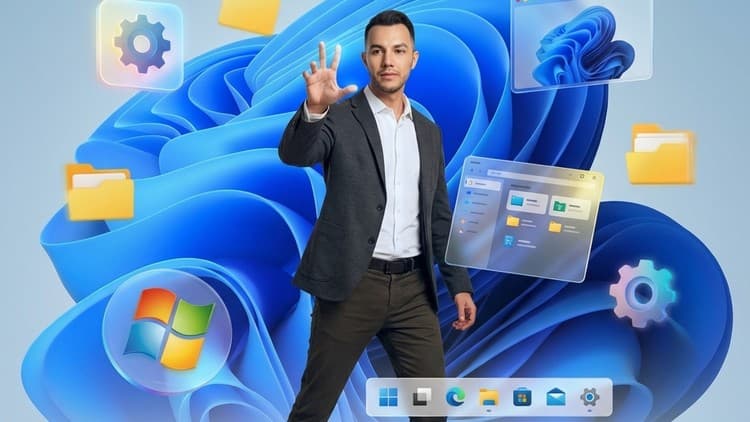
Lifetime access • Certificate included
This course includes:
- 📹0 mins on-demand video
- 📄7 articles
- 📥0 downloadable resources
- 📱Access on mobile and TV
- 🏆Certificate of completion
- ♾️Full lifetime access
📖About This Course
AI Disclosure: This course contains the use of artificial intelligence.Master Windows 11 from the ground up and unlock its full potentialWhether you're new to Windows 11 or upgrading from a previous version, this comprehensive course is designed to take you from a complete beginner to a confident power user. With over 110 hands-on lessons, you'll discover everything from the basics of navigating the interface to advanced professional features that will boost your productivity.This course is structured into four comprehensive sections:Section 1: Windows 11 Foundations - Start with the fundamentals! Learn to navigate the new Start Menu, taskbar, and notification center. Understand Microsoft accounts, sign-in options, and personalization features. Master essential apps, the Microsoft Store, File Explorer, and Wi-Fi connectivity. This section ensures you're comfortable with the core Windows 11 experience.Section 2: Windows 11 Accessibility - Discover how Windows 11 empowers everyone! Explore comprehensive accessibility features including text size adjustments, display settings, narrator, magnifier, color filters, speech recognition, and eye tracking. Learn how Microsoft 365 apps integrate accessibility tools like the Immersive Reader, dictation, and Teams accessibility options. This section demonstrates Microsoft's commitment to inclusive technology.Section 3: Windows 11 Pro and Power Users - Unlock advanced capabilities! Install and configure Windows 11, manage system requirements, and optimize performance. Learn professional features like Snap Layouts, Snap Groups, multiple desktops, and advanced multitasking. Dive deep into system security with Windows Defender, Firewall, BitLocker, and device security. Master administrative tools including Task Manager, Event Viewer, Device Manager, and Disk Management. Set up Hyper-V virtual machines, configure backups and recovery, and even connect your Android phone with Phone Link.What makes this course special?- Step-by-step video tutorials that are easy to follow- Real-world examples and practical demonstrations- Coverage of both basic and advanced features- Accessibility-focused content for inclusive learning- Professional power user techniquesWho should take this course?This course is perfect for anyone who wants to master Windows 11, whether you're a complete beginner, IT professional, business user, accessibility advocate, or power user looking to maximize productivity.By the end of this course, you'll be able to navigate Windows 11 with confidence, customize it to your needs, use advanced features like a pro, and troubleshoot common issues independently.Enroll today and transform the way you work with Windows 11
Windows 11 Complete Mastery: From Foundations to Power User - Free Udemy Course [100% Off Coupon Code]
Limited-Time Offer: This IT & Software Udemy course is now available completely free with our exclusive 100% discount coupon code. Originally priced at $19.99, you can enroll at zero cost and gain lifetime access to professional training. Don't miss this opportunity to master Windows 11 without spending a dime!
What You'll Learn in This Free Udemy Course
This comprehensive free online course on Udemy covers everything you need to become proficient in Windows 11. Whether you're a beginner or looking to advance your skills, this free Udemy course with certificate provides hands-on training and practical knowledge you can apply immediately.
- Master Windows 11 fundamentals including Start Menu, taskbar, notification center, and File Explorer navigation
- Unlock advanced accessibility features like text size adjustments, narrator, speech recognition, and eye tracking
- Discover professional power user techniques including Snap Layouts, multiple desktops, and advanced multitasking
- Learn system security with Windows Defender, Firewall, BitLocker, and device security tools
- Master administrative tools including Task Manager, Event Viewer, Device Manager, and Disk Management
- Set up Hyper-V virtual machines and configure professional backup and recovery systems
- Connect your Android phone seamlessly with Phone Link and explore Microsoft 365 accessibility integration
- Personalize Windows 11 to your preferences and optimize performance for maximum productivity
Who Should Enroll in This Free Udemy Course?
This free certification course is perfect for anyone looking to break into Windows administration or enhance their existing skills. Here's who will benefit most from this no-cost training opportunity:
- Complete beginners wanting to master Windows 11 from scratch with confidence
- IT professionals seeking to upgrade their skills to the latest Windows version
- Business users looking to maximize productivity with advanced Windows features
- Accessibility advocates wanting to understand inclusive technology features
- Power users interested in unlocking Windows 11's professional capabilities
- Anyone upgrading from Windows 10 or previous versions needing comprehensive guidance
Meet Your Instructor
Learn from Omar Koryakin, an experienced Windows professional with a proven track record in IT training. With hundreds of satisfied students and practical industry knowledge, Omar brings complex Windows concepts to life through clear, step-by-step video tutorials. His teaching style focuses on real-world applications and hands-on demonstrations, ensuring you gain practical skills you can use immediately in your personal or professional life.
Course Details & What Makes This Free Udemy Course Special
With an impressive 0.0 rating and 23 students already enrolled, this Udemy free course has proven its value. The course includes 7 comprehensive lessons, all taught in English. What sets this free online course apart is the comprehensive four-section structure covering everything from basic navigation to advanced professional features. Upon completion, you'll receive a certificate to showcase on LinkedIn and your resume. Plus, with mobile access, you can learn anytime, anywhere—perfect for busy professionals. This IT Software course in the Operating Systems & Servers niche is regularly updated and includes lifetime access, meaning you can revisit materials whenever you need a refresher.
How to Get This Udemy Course for Free (100% Off)
Follow these simple steps to claim your free enrollment:
- Click the enrollment link to visit the Udemy course page
- Apply the coupon code: AF76302B6806534D8DA7 at checkout
- The price will drop from $19.99 to $0.00 (100% discount)
- Complete your free enrollment before December 25, 2025 at 10:50 AM UTC
- Start learning immediately with lifetime access
⚠️ Important: This free Udemy coupon code expires on December 25, 2025 at 10:50 AM UTC. The course will return to its regular $19.99 after this date, so enroll now while it's completely free. This is a legitimate, working coupon—no credit card required, no hidden fees, no trial periods. Once enrolled, the course is yours forever.
Why You Should Grab This Free Udemy Course Today
Here's why this free certification course is an opportunity you can't afford to miss: Windows 11 skills are in high demand across all industries, and mastering this operating system can significantly boost your employability and earning potential. The advanced features covered in this course, like Snap Layouts and virtualization, can increase your productivity by up to 40% in daily tasks. With remote work becoming standard, Windows 11 expertise is essential for any modern professional. Plus, accessibility features knowledge makes you valuable in inclusive workplaces and opens doors to roles in assistive technology support.
Frequently Asked Questions About This Free Udemy Course
Is this Udemy course really 100% free?
Yes! By using our exclusive coupon code AF76302B6806534D8DA7, you get 100% off the regular $19.99 price. This makes the entire course completely free—no payment required, no trial period, and no hidden costs. You'll have full access to all course materials just like paying students.
How long do I have to enroll with the free coupon?
This limited-time offer expires on December 25, 2025 at 10:50 AM UTC. After this date, the course returns to its regular $19.99 price. We highly recommend enrolling immediately to secure your free access. The coupon has limited redemptions available.
Will I receive a certificate for this free Udemy course?
Absolutely! Upon completing all course requirements, you'll receive an official Udemy certificate of completion. This certificate can be downloaded, shared on LinkedIn, and added to your resume to showcase your new skills to employers.
Can I access this course on my phone or tablet?
Yes! This course is fully compatible with the Udemy mobile app for iOS and Android. Download the app, enroll with the free coupon, and learn on-the-go. You can watch videos, complete exercises, and track your progress from any device.
How long do I have access to this free course?
Once you enroll using the free coupon code, you get lifetime access to all course materials. There's no time limit—learn at your own pace, revisit lessons anytime, and benefit from future updates at no additional cost. Your one-time free enrollment gives you permanent access.
Frequently Asked Questions
Q: Is this course really free?
Yes! Using our verified coupon code, you can enroll for 100% OFF. No hidden charges.
Q: Do I get a certificate?
Upon completion of all video lectures, Udemy will issue a certificate of completion.
Q: How long is my access?
Once you enroll with the coupon, you get full lifetime access to the materials.
You May Also Like

Generative AI in Testing: Revolutionize Your QA Processes

Agile - Scrum: Your Path to PSM Certification and Interviews